The best keyboards for work depend on whether you need a number pad, quieter keys, wireless device switching, or a compact desk setup. These picks cover practical office features alongside customizable mechanical options, so you can match the layout and connection style to your daily tasks.
Quick Top Products
JLab JBuds Wireless Keyboard

- A 95-key layout includes a full numerical pad.
- Wireless connection options include Bluetooth and a USB dongle.
- The rechargeable battery is rated for up to 30 days of wireless use.
Best For: A multi-device office setup that needs a number pad and rechargeable wireless convenience.

JLab Epic Wireless Keyboard

- It has 108 full-size backlit keys.
- The keyboard has a 2000 mAh rechargeable battery.
- It supports Bluetooth pairing for up to three devices and a USB dongle.
Best For: People who want a full-size wireless keyboard with illuminated keys for dim workspaces.
SteelSeries Apex 3

- Whisper-quiet switches are rated for 20 million keypresses.
- The included magnetic wrist rest provides full palm support.
- IP32 water resistance is intended to prevent accidental spill damage.
Best For: A wired desk setup where quiet switches, multimedia controls, and a wrist rest are priorities.
SteelSeries Apex 3 TKL

- The tenkeyless layout is compact and leaves room for mouse movement.
- The switches are made for near-silent use and anti-ghosting accuracy.
- It has IP32 water and dust resistance.
Best For: A smaller wired work setup that favors quiet keys and keeps the mouse area open.
JLab JBuds Wireless Keyboard (16 Pack)
- It has 95 soft-touch keys and a dedicated media knob.
- It can toggle among up to three connections.
- The rechargeable battery is rated for up to 30 days wireless.
Best For: Workstations needing a low-profile wireless keyboard with a number pad and app-programmable shortcuts.
SOLAKAKA KI99 Pro Silent Switch

- It supports Bluetooth, 2.4G, and Type-C connections.
- The 96% layout includes a number pad and control knob.
- Silent switches and five noise-reducing layers target quieter typing.
Best For: Mechanical-keyboard users who want wireless connectivity, hot-swappable switches, and a quieter typing setup.
SOLAKAKA A99 Pro Mechanical Keyboard
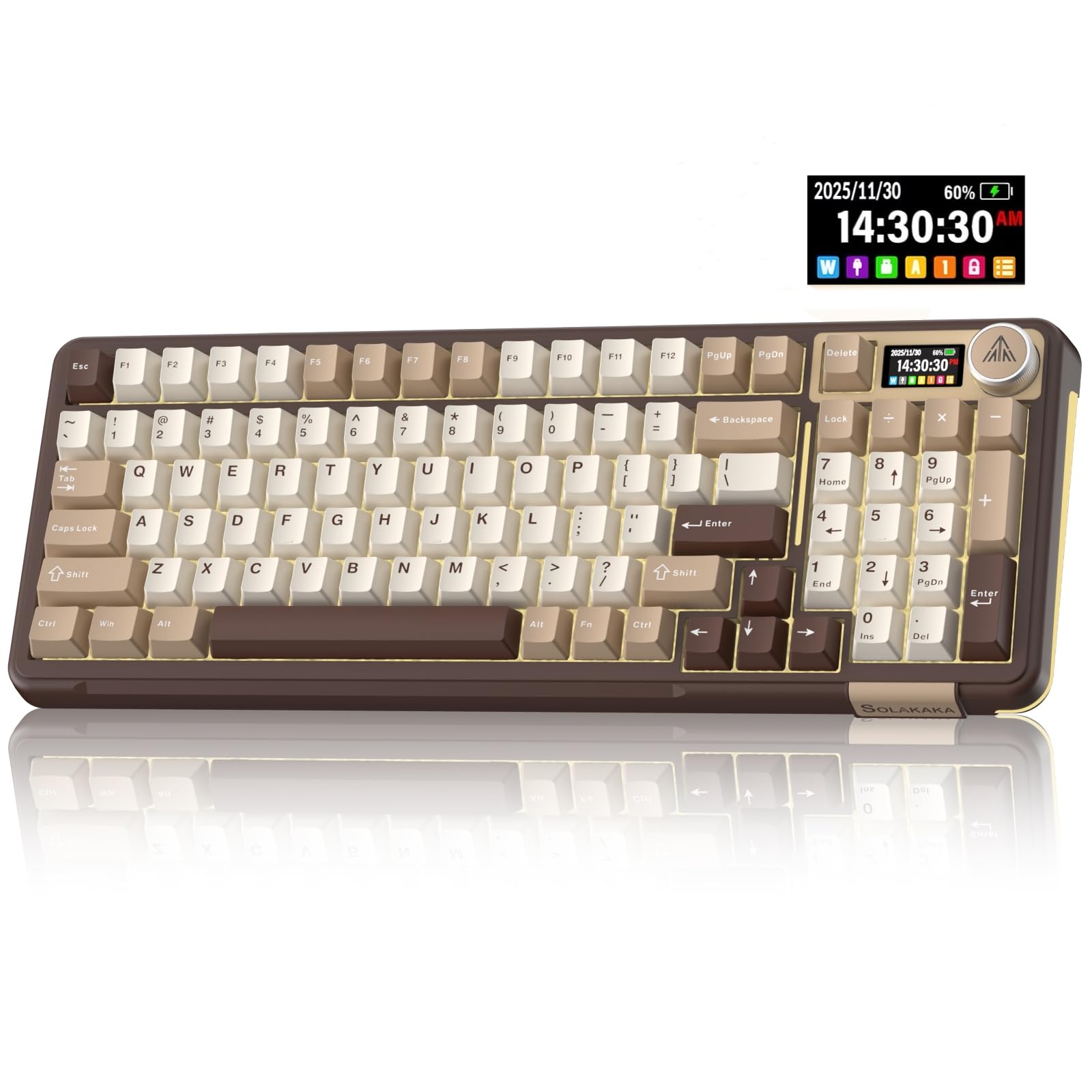
- The LCD display shows time, battery level, and connection details.
- It supports Bluetooth, 2.4GHz wireless, and USB-C wired connections.
- The keyboard can save up to five devices simultaneously.
Best For: A customizable desk setup that benefits from wireless device switching, a display, and a numeric keypad.
SOLAKAKA A99 Pro 96% Wireless Keyboard
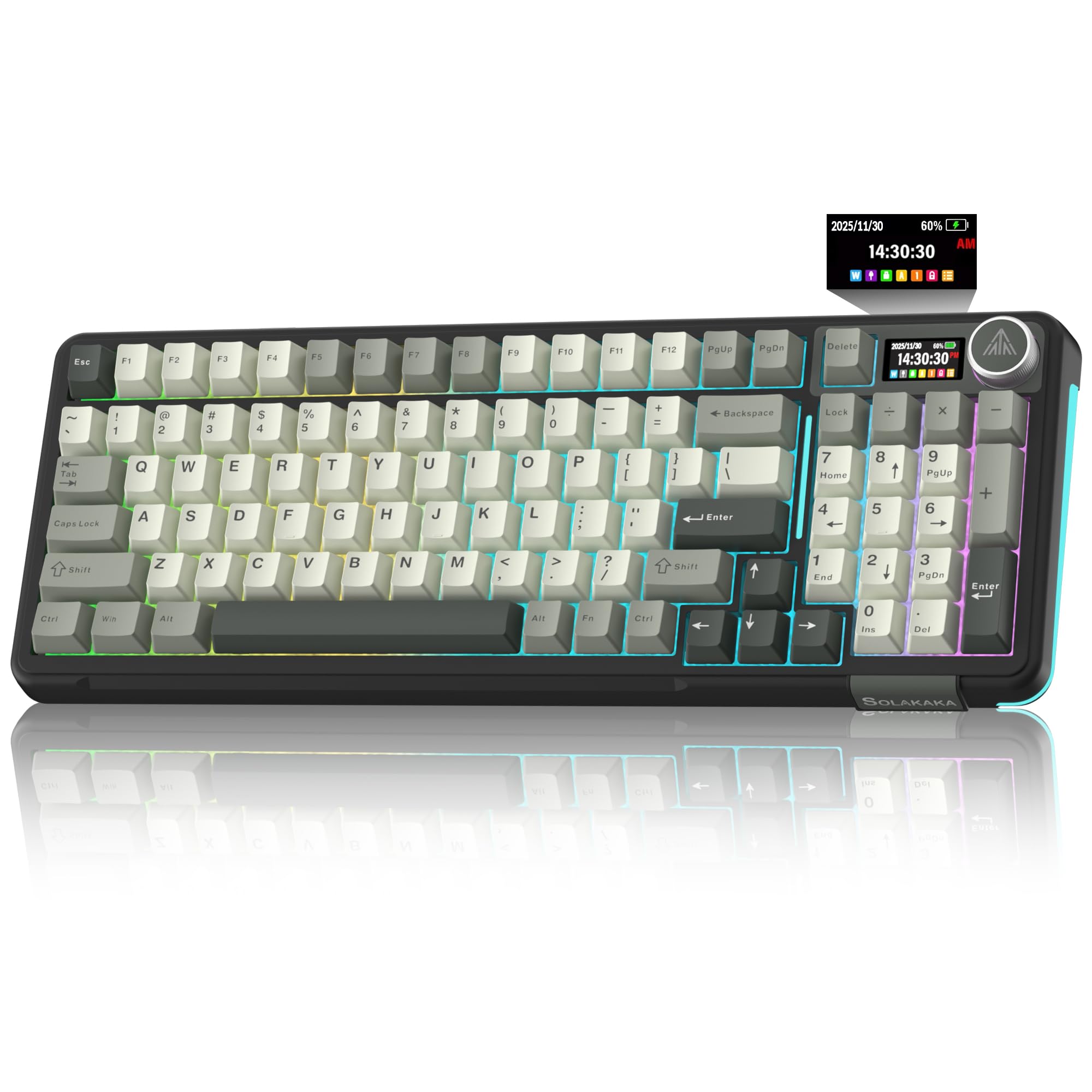
- The 96% layout saves space while retaining a numeric keypad, arrow keys and essential function keys for gaming and office work.
- It supports Bluetooth, 2.4GHz wireless, and USB-C connections.
- The screen shows battery and connection information.
Best For: Workers who want a compact mechanical layout that retains a numeric keypad and supports several devices.
SOLAKAKA A99 Pro 96% Mechanical Keyboard
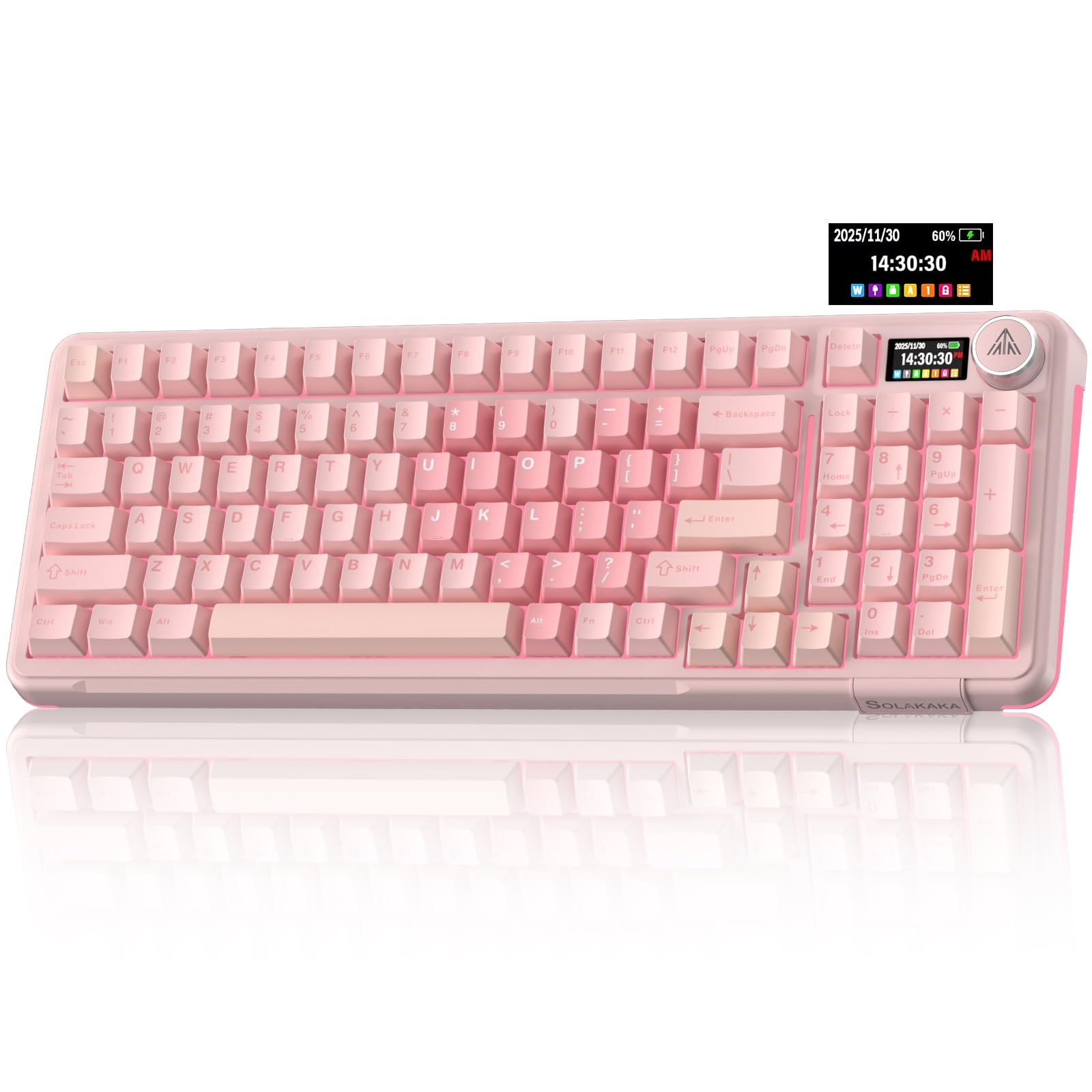
- The 97-key layout keeps the numeric keypad and arrow keys.
- It supports three connection types and up to five devices.
- The keyboard has a screen and multifunction knob.
Best For: A desk with limited space where a number pad, compact layout, and wireless switching are still useful.
SOLAKAKA A75 Wireless Gaming Keyboard
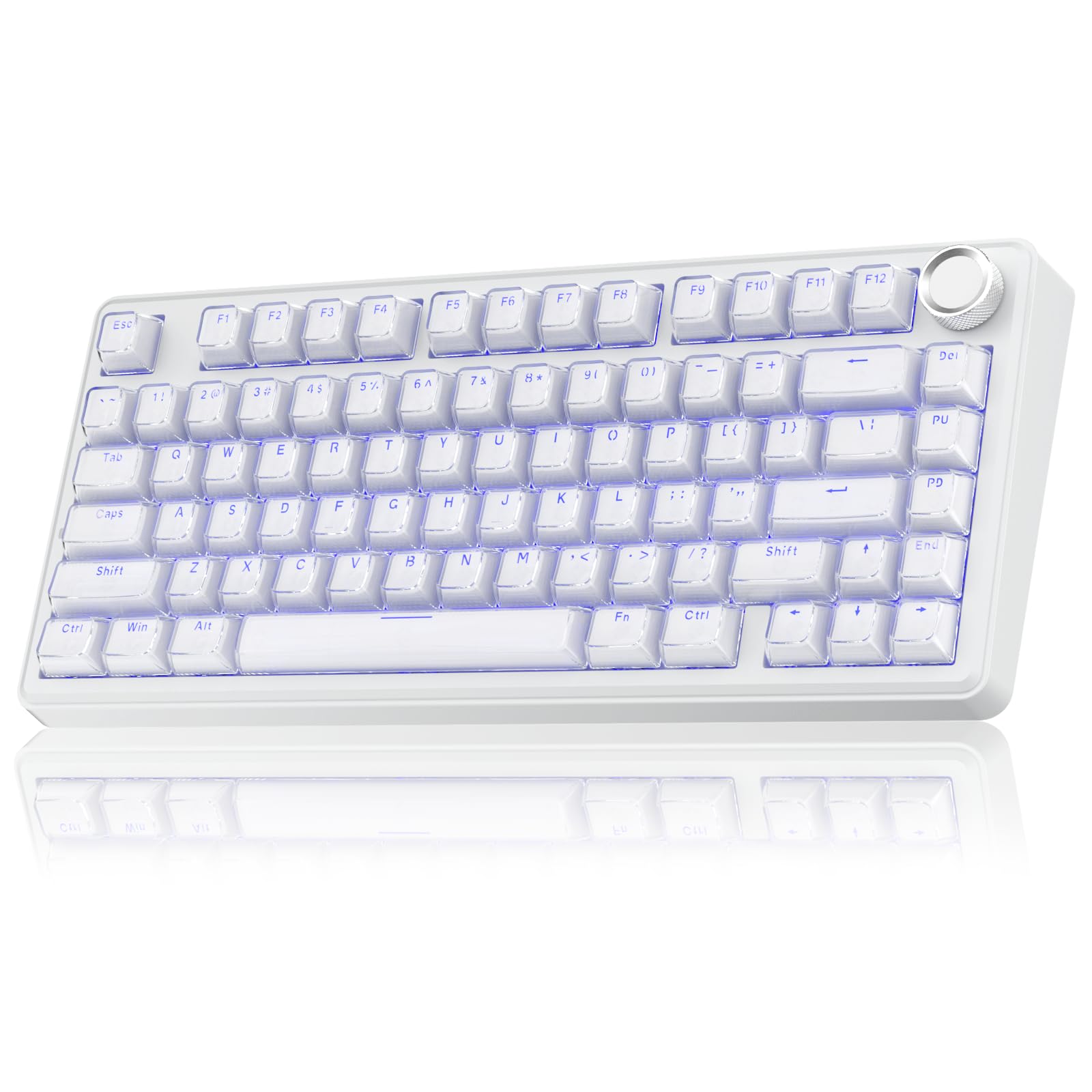
- The 81-key 75% layout retains essential arrow keys.
- It supports three connection modes and up to five devices.
- In office mode, the knob adjusts volume and can mute.
Best For: A compact work setup that needs arrow keys, multiple connection modes, and quick volume control.
Wireless Office Typing
JLab JBuds Wireless Keyboard, 95 Key, Multi-Device Bluetooth and USB dongle, Soft Touch Keys, Media knob, Custom Profiles, Black
The JLab JBuds combines a slim layout with a full numeric pad, giving spreadsheet users more room for data entry than a compact keyboard. Its 95 soft-touch keys are designed for quiet, comfortable typing, and a media knob handles volume and playback without interrupting a task.
Bluetooth 5.2 and a USB wireless dongle support switching among up to three connections, useful when work moves between a laptop, desktop, and tablet. The battery is rechargeable and rated for up to 30 days of wireless use.
The tradeoff is that this model is still broader than a travel-first compact keyboard.
Best For: A multi-device office setup that needs a number pad and rechargeable wireless convenience.
| Pros | Cons |
|---|---|
|
|
Choose this keyboard when everyday office typing, number entry, and changing between devices matter more than minimizing desk footprint. The combination of a numeric pad, rechargeable power, and a media knob covers common desk tasks without requiring a wired connection.
Before buying, check that its 95-key layout fits the available space and confirm whether you need illuminated keys, since backlighting is not specified. Its compact-but-complete description does not establish exact dimensions, so it is harder to compare for a tightly constrained desk.
Full-Size Backlit Wireless
JLab, Epic, Wireless Keyboard, Bluetooth 5.2, USB Dongle, Multi-Device, Backlit, 108 Keys, Black
The JLab Epic is a full-size wireless option built around 108 backlit keys, a soft-touch feel, and a metal base. The lighting can help when working in a dim room, while the smart media knob puts audio control within reach.
It can pair with up to three devices over Bluetooth 5.2 and also offers a USB wireless dongle, making it suitable for a desk shared across several computers or mobile devices. A 2000 mAh rechargeable battery powers extended work sessions.
This model takes a full-size footprint, so it fits best where you want all the keys and have room to leave the keyboard set up.
Best For: People who want a full-size wireless keyboard with illuminated keys for dim workspaces.
| Pros | Cons |
|---|---|
|
|
Pick the Epic if you want backlighting and full-size key access, especially for a desk that serves more than one device. The metal base and soft-touch keys also make it a desk-oriented choice.
Its full-size footprint is the main practical consideration; a smaller board may fit shared or mobile workspaces better. Check how the 108-key layout fits your desk, and note that the battery capacity is given but a runtime estimate is not.
Quiet Typing With Wrist Support
SteelSeries Apex 3 RGB Gaming Keyboard – 10-Zone RGB Illumination – IP32 Water Resistant – Premium Magnetic Wrist Rest (Whisper Quiet Gaming Switch)
The SteelSeries Apex 3 is a full-size wired keyboard with whisper-quiet switches and a magnetic wrist rest that supports the palm. Dedicated multimedia controls make volume and settings easy to adjust during calls or focused work.
Its IP32 water resistance is intended to help prevent damage from accidental liquid spills, a useful desk feature around drinks. Ten-zone RGB illumination is included, though office buyers may care more about the quiet switches and comfortable palm support.
This is a gaming-branded keyboard, and the supplied details do not specify wireless connectivity or a detachable wrist rest, so check how its wired setup and desk footprint fit your routine.
Best For: A wired desk setup where quiet switches, multimedia controls, and a wrist rest are priorities.
| Pros | Cons |
|---|---|
|
|
Choose the Apex 3 when a quiet typing feel and included wrist support matter more than wireless flexibility. The spill-resistance feature and dedicated media controls are practical extras for a stationary work desk.
It is a wired gaming keyboard, so confirm that the cable arrangement works with your setup. The source details also give no dimensions; measure the available desk area if space is tight, especially with the wrist rest in place.
Compact Quiet Tenkeyless
SteelSeries Apex 3 TKL RGB Gaming Keyboard – Tenkeyless Compact Form Factor - 8-Zone RGB Illumination – IP32 Water & Dust Resistant – Whisper Quiet Gaming Switch – Gaming Grade Anti-Ghosting,Black
The Apex 3 TKL trims the number pad from the layout to leave more desk space around the keyboard. Its whisper-quiet switches are designed for near-silent use and include anti-ghosting technology, while IP32 water and dust resistance helps protect against everyday desk mishaps.
Dedicated multimedia controls provide quick access to volume and playback. This model is a wired tenkeyless option with RGB lighting, so it is best for a fixed workspace rather than someone seeking a cable-free setup.
If your work involves frequent number entry, consider whether losing the dedicated numeric pad would slow you down.
Best For: A smaller wired work setup that favors quiet keys and keeps the mouse area open.
| Pros | Cons |
|---|---|
|
|
This is a sensible fit for workers who want a compact layout but still prefer dedicated arrow and function keys over a very small keyboard. Quiet switches and a volume roller help keep common work interactions simple.
The key tradeoff is numeric entry: a separate number pad is not part of the tenkeyless design. Check whether the freed desk space is worth that compromise, and confirm the wired connection is convenient for your workstation.
Slim Numeric Pad And Media Knob
JLab JBuds Wireless Keyboard | Bluetooth and USB dongle, Multi-Device, Media knob, Custom Profiles, Black (16 Pack)
This JBuds keyboard pairs a slim, professional design with a full numerical pad, a smart media knob, and soft-touch keys. Bluetooth 5.2 and a USB wireless dongle support up to three connections, while the JLab Work App can store custom shortcuts and up to three user profiles.
Its rechargeable battery is rated for up to 30 days of wireless use. The feature set is aimed at daily productivity, particularly if you switch between devices or rely on the number pad.
The title identifies this offer as a 16-pack, so check the package quantity carefully if you only need one keyboard.
Best For: Workstations needing a low-profile wireless keyboard with a number pad and app-programmable shortcuts.
| Pros | Cons |
|---|---|
|
|
The keyboard features suit office use, especially for number-heavy work and multi-device switching. The unusual package quantity is the primary buying consideration: the title calls this a 16-pack, so verify the offer contents and whether that quantity suits your workplace before ordering.
For an individual desk, the single-keyboard JBuds offer may be simpler to assess. The key features otherwise match the standard JBuds profile, including its number pad and wireless connections.
Quieter Customizable Mechanical
SOLAKAKA KI99 Pro Wireless Mechanical Keyboard with Quiet Switch, Hot Swappable Pre-Lubed Switches with RGB Backlit, Gasket Structure Computer Gaming Keyboard (BlackBlue, Silent Switch)
The SOLAKAKA KI99 Pro Silent Switch combines a compact 96% layout with a number pad, three connection modes, and a control knob for volume, media, and lighting. Its silent switches and five noise-reducing layers are intended to lower typing noise, while the gasket structure and PBT keycaps shape the typing feel.
The keyboard supports full hot-swapping for 3-pin or 5-pin switches, allowing later switch changes without soldering. A 10,000 mAh battery is included, and the software supports key programming, RGB adjustment, and macros.
It remains a mechanical, RGB-equipped gaming design, so consider the software and customization features against a simpler office keyboard.
Best For: Mechanical-keyboard users who want wireless connectivity, hot-swappable switches, and a quieter typing setup.
| Pros | Cons |
|---|---|
|
|
Choose the KI99 Pro when you want a number pad and the ability to change switches while keeping a wireless desk setup. Its silent switch variant and noise-reducing layers make it more work-focused than a louder mechanical configuration, though the product still emphasizes RGB and gaming features.
Check that the 96% layout and its knob placement work with your desk, and confirm you are comfortable with a keyboard that offers considerable customization.
Screen And Knob For Multi-Device Work
SOLAKAKA A99 Pro Mechanical Keyboard with LCD Screen & Metal Knob, Wireless Gaming Keyboard with BT5.0/2.4GHz/USB-C, Hot Swappable Creamy Keyboard, Gasket Structure, RGB Backlit, for Win/Mac
The SOLAKAKA A99 Pro includes an LCD screen and metal knob alongside tri-mode Bluetooth, 2.4GHz wireless, and USB-C wired connections. Its display shows details such as time, battery level, connected system, and connection mode, while the knob handles tasks including volume, lighting, and system switching.
The gasket structure, five cushioning layers, and pre-lubricated switches are intended to shape a softer, quieter mechanical typing feel. Full hot-swapping supports switch and keycap changes without soldering.
This is a feature-rich mechanical option for someone who values customization; a simpler wireless keyboard may be easier if you just need dependable office typing.
Best For: A customizable desk setup that benefits from wireless device switching, a display, and a numeric keypad.
| Pros | Cons |
|---|---|
|
|
Select the A99 Pro if its screen and controls would simplify switching among devices or adjusting settings at your desk. It has substantial customization potential through hot-swappable switches and software control, along with wired and wireless connections.
The supplied details do not establish the precise layout size or battery runtime, so check those before comparing it with a compact office keyboard. Its layered mechanical design is a more involved choice than a standard low-profile productivity board.
96% Layout With Screen And Number Pad
SOLAKAKA A99 Pro Wireless Mechanical Keyboard with LCD Screen & Metal Knob, 2.4GHz/BT5.0/USB-C, RGB Backlit Gaming Keyboard, Hot Swappable, Creamy Keyboard with Gasket Structure, for Win/Mac
This A99 Pro variant specifies a 96% layout with 97 keys, retaining a number pad, arrow keys, and essential function keys in a space-saving arrangement. Its LCD screen displays details such as battery level and connection mode; a multifunction knob controls settings including volume and lighting.
Tri-mode connectivity covers Bluetooth 5.0, 2.4GHz wireless, and USB-C, with support for up to five devices. Hot-swappable switches, a gasket structure, and five cushioning layers make this a customization-focused mechanical keyboard.
The many gaming-oriented lighting and software options may be more than a straightforward office setup needs, but the retained number pad makes the layout practical for work.
Best For: Workers who want a compact mechanical layout that retains a numeric keypad and supports several devices.
| Pros | Cons |
|---|---|
|
|
This version is the clearest A99 Pro fit for someone who wants to preserve number entry in a smaller-than-full-size mechanical keyboard. It retains useful navigation keys and can move among several devices, while the screen and knob provide direct controls.
Consider whether the RGB and customization features justify choosing it over a simpler office board. Battery capacity is not stated here as runtime, so check expected use and charging needs before relying on a particular interval.
Compact Mechanical Board For Busy Desks
SOLAKAKA A99 Pro Wireless Gaming Keyboard with LCD Screen & Metal Knob, 96% Layout Mechanical Keyboard, 2.4GHz/BT5.0/USB-C, Hot Swappable, Creamy Keyboard with Gasket Structure, RGB, for Win/Mac
The SOLAKAKA A99 Pro 96% keyboard retains a numeric keypad, arrow keys, and essential function keys in a 97-key layout. That makes it suited to work involving number entry while using less desk space than a conventional full-size board.
It supports Bluetooth 5.0, 2.4GHz wireless, and USB-C, and can connect with up to five devices. The LCD screen and metal knob provide access to status and settings, while hot-swappable switches and gasket construction cater to people who want to personalize their typing setup.
Its gaming-focused RGB lighting and programmable options add flexibility but also make it more feature-heavy than a basic work keyboard.
Best For: A desk with limited space where a number pad, compact layout, and wireless switching are still useful.
| Pros | Cons |
|---|---|
|
|
Consider this board if you need numeric entry but want to save desk space and switch among devices. The compact layout, screen, and control knob distinguish it from plain office keyboards, while hot-swap support allows later changes to switches.
Check that the exact key arrangement suits your workflow, particularly if you use function keys often. The product details give no battery runtime, so wireless use may require checking charging expectations.
75% Layout With Mode-Switching Knob
SOLAKAKA A75 Wireless Gaming Keyboard with Multifunction Knob, BT5.0/2.4GHz/USB-C, 75% Mechanical Keyboard, Hot-Swappable, Gasket Creamy Keyboard with RGB Backlit, Crystal Keycaps, for PC/Mac/PC
The SOLAKAKA A75 uses an 81-key 75% layout that keeps arrow keys while reducing the space used by less frequent keys. Its tri-mode connections include Bluetooth 5.0, 2.4GHz wireless, and USB-C wired operation, and it can support up to five devices.
A multifunction knob changes roles between gaming and office modes; in office mode it can mute or adjust volume. The gasket structure and pre-lubricated stabilizers are intended to create a softer mechanical feel, while hot-swap support lets users change compatible switches without soldering.
It does not retain a number pad, so it is better for general typing than frequent spreadsheet entry.
Best For: A compact work setup that needs arrow keys, multiple connection modes, and quick volume control.
| Pros | Cons |
|---|---|
|
|
Choose the A75 when you want to reclaim desk space without giving up arrow keys, and when a knob for volume control would be useful during work. Its connection options and hot-swappable switches give flexibility beyond basic office typing.
The clear tradeoff is the missing number pad, which can slow number-heavy workflows. Confirm that the 81-key arrangement covers the shortcuts and navigation keys you use, and check charging expectations for wireless sessions.
How to Choose Keyboards For Work
How We Picked Keyboards for Work
This group includes keyboards with office-friendly features that matter across common desk tasks: quiet or soft-touch keys, number entry, compact layouts, wireless device switching, media controls, and wrist support. The picks cover both straightforward productivity boards and mechanical options for people who want deeper customization.
Each layout solves a different workspace problem. Full-size or 96% keyboards keep a number pad for spreadsheets and data entry; tenkeyless and 75% designs free space for a mouse while retaining useful navigation keys.
Wireless models help when work moves between devices, while wired choices suit a fixed workstation.
Comparing Keyboards for Work
For a conventional office feel, the JLab JBuds options combine soft-touch keys, a number pad, wireless connections, and direct media controls. The Epic adds backlighting and a full-size layout.
The SteelSeries Apex 3 choices emphasize quieter switches, with the full-size version adding a wrist rest and the TKL version reducing desk footprint.
The SOLAKAKA mechanical boards trade simplicity for customization. The KI99 Silent Switch includes a number pad and quiet-switch focus, while A99 Pro variants add a screen and knob; the specified 96% version retains number-entry keys.
The A75 is smaller and keeps arrow keys, but drops a dedicated number pad.
| Product | Standout features | Best for |
|---|---|---|
| JLab JBuds Wireless KeyboardCheck Price |
| A multi-device office setup that needs a number pad and rechargeable wireless convenience. |
| JLab Epic Wireless KeyboardCheck Price |
| People who want a full-size wireless keyboard with illuminated keys for dim workspaces. |
| SteelSeries Apex 3Check Price |
| A wired desk setup where quiet switches, multimedia controls, and a wrist rest are priorities. |
| SteelSeries Apex 3 TKLCheck Price |
| A smaller wired work setup that favors quiet keys and keeps the mouse area open. |
| JLab JBuds Wireless Keyboard (16 Pack)Check Price |
| Workstations needing a low-profile wireless keyboard with a number pad and app-programmable shortcuts. |
| SOLAKAKA KI99 Pro Silent SwitchCheck Price |
| Mechanical-keyboard users who want wireless connectivity, hot-swappable switches, and a quieter typing setup. |
| SOLAKAKA A99 Pro Mechanical KeyboardCheck Price |
| A customizable desk setup that benefits from wireless device switching, a display, and a numeric keypad. |
| SOLAKAKA A99 Pro 96% Wireless KeyboardCheck Price |
| Workers who want a compact mechanical layout that retains a numeric keypad and supports several devices. |
| SOLAKAKA A99 Pro 96% Mechanical KeyboardCheck Price |
| A desk with limited space where a number pad, compact layout, and wireless switching are still useful. |
| SOLAKAKA A75 Wireless Gaming KeyboardCheck Price |
| A compact work setup that needs arrow keys, multiple connection modes, and quick volume control. |
Choosing a Work Keyboard Layout
Start with the keys your tasks use most. Regular spreadsheet work or bookkeeping can make a numeric keypad worth the wider layout.
If mouse space is more valuable, a tenkeyless or 75% board reduces the keyboard's reach across the desk. A 96% layout can be a compromise, retaining the number pad and arrows in a more compact arrangement.
Check whether a compact board preserves the function and navigation keys you rely on. The A75's 81-key layout retains arrow keys, while the A99 Pro 96% listings specify a numeric keypad and arrow keys.
Product names alone do not guarantee identical key placement, so compare the exact layout before ordering.
Quiet Typing, Controls, And Connections
For shared offices or calls, consider quiet or soft-touch switches. The Apex 3 models emphasize whisper-quiet typing, and the KI99 Pro has a silent-switch configuration with noise-reducing layers.
JLab's soft-touch keyboards offer a more conventional alternative. Mechanical keyboards with gasket structures may appeal to users who want a particular typing feel, but their lighting and customization may be unnecessary for basic email and document work.
A media knob is handy for muting or changing volume without reaching for on-screen controls. For multi-device work, check how many connections the keyboard can save and which methods it supports.
Bluetooth can keep a setup cable-free; a USB dongle or wired connection offers another route. Also check operating-system support and whether any customization software requires a particular system or wired mode.
Who Should Buy Which Work Keyboard
Choose a JLab JBuds model for a number pad, soft-touch typing, and multi-device wireless convenience; choose the Epic if backlighting is also useful. The SteelSeries Apex 3 suits a desk where quiet switches and media controls matter, with its full-size version adding palm support and its TKL version saving space.
For switch customization and a mechanical feel, consider the KI99 Pro Silent Switch or one of the A99 Pro 96% boards. Pick the A75 when compactness and arrow keys matter more than a number pad.
Before deciding, match the keyboard's exact layout to your daily shortcuts, confirm how it connects to your work computer, and make sure its size fits the desk.