The best office headsets under $100 make it easier to handle meetings, calls, and focused listening without overspending. Choose based on how you connect, how often you recharge, and whether you prefer an on-ear or over-ear fit.
Quick Top Products
JLab JBuds Work Wireless Headset

- Over-ear design with wireless and wired connectivity.
- Connects to two devices simultaneously with Bluetooth multipoint.
- Offers 60+ hours of playtime and a visible mute indicator.
Best For: People who want an over-ear work headset with extended battery life and two-device switching.

JLab Go Work Pop Wireless Headset

- Provides more than 50 hours of wireless playtime.
- Connects to two devices simultaneously using Bluetooth multipoint.
- The boom microphone flips up to mute and down for calls.
Best For: Hybrid workers who want a lightweight on-ear headset with a rotating boom microphone.
JLab Go Work Wireless Headset

- Switches between Bluetooth and an included wired cable.
- Bluetooth multipoint connects two devices simultaneously.
- Includes 45+ hours of playtime and a red mute indicator.
Best For: Office users who want both Bluetooth multipoint and an included wired connection.
SteelSeries Arctis Nova 3X Wireless
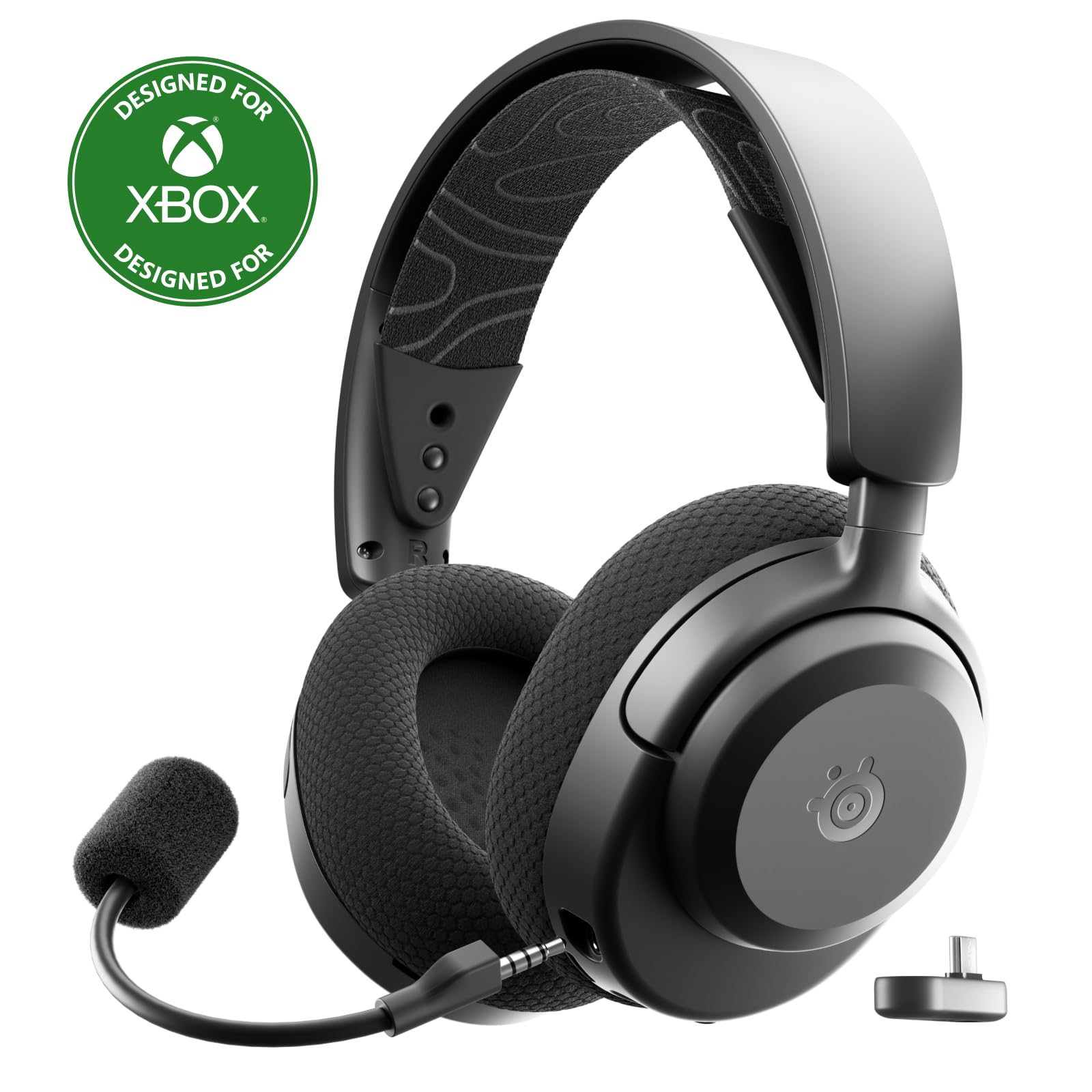
- Supports both 2.4GHz wireless and Bluetooth.
- Works with a USB-C dongle across several gaming and mobile platforms.
- Offers up to 40 hours of battery life and fast charging.
Best For: People who split their headset use between computer work, gaming, and mobile devices.
JLab Studio Wireless On-Ear Headphones

- Provides over 30 hours of Bluetooth 5 playtime.
- Includes three onboard EQ presets.
- Folds for travel or commutes and includes a built-in microphone.
Best For: People seeking affordable foldable Bluetooth headphones with a built-in mic for occasional work calls.
JLab Go Lux ANC On-Ear Headphones
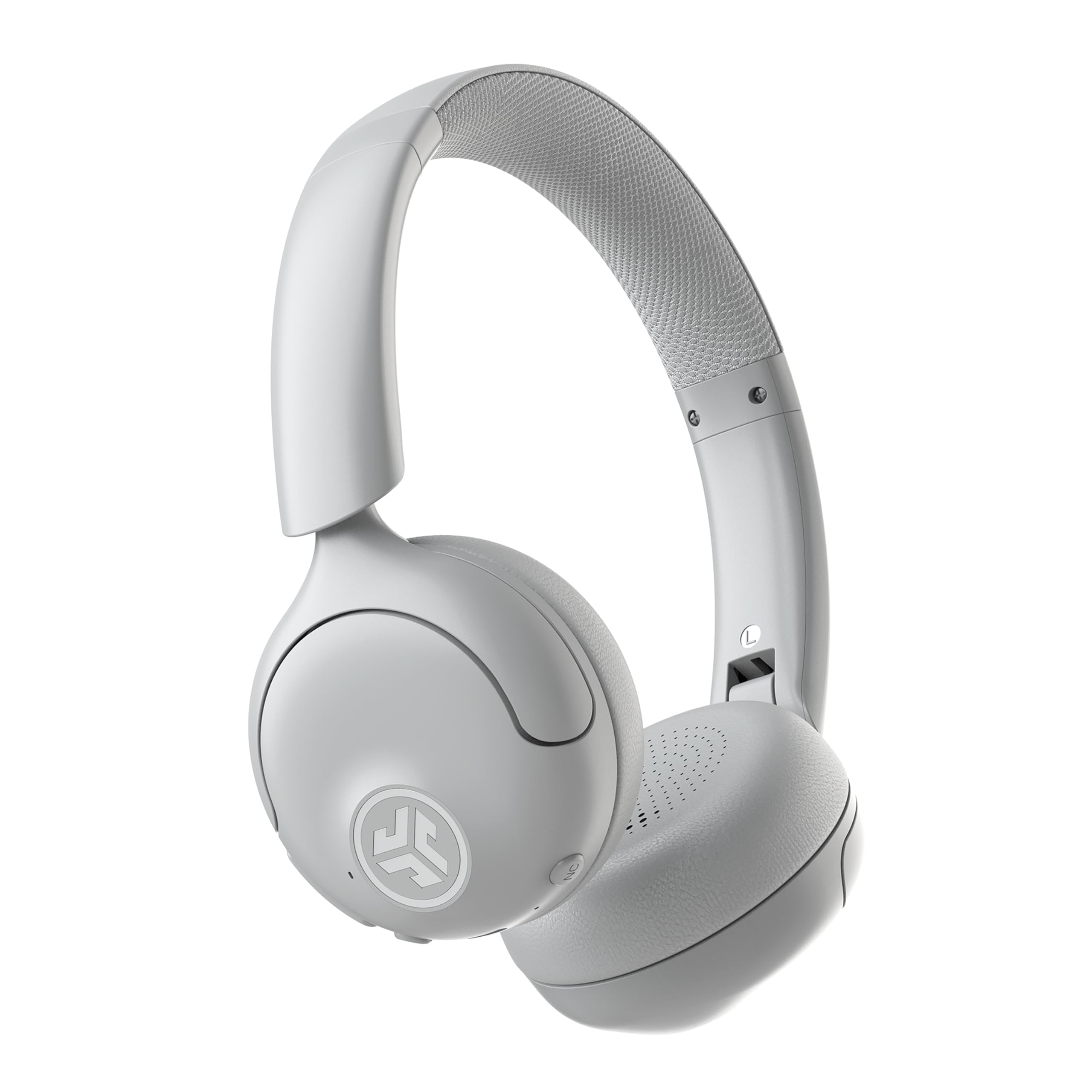
- Hybrid ANC is rated to reduce ambient noise by up to 30 dB.
- Connects to two devices simultaneously with Bluetooth multipoint.
- Offers up to 50 hours of playtime.
Best For: Workers who want adjustable noise reduction and multipoint Bluetooth for focus between calls.
JLab JBuddies Studio Wireless Kids Headphones
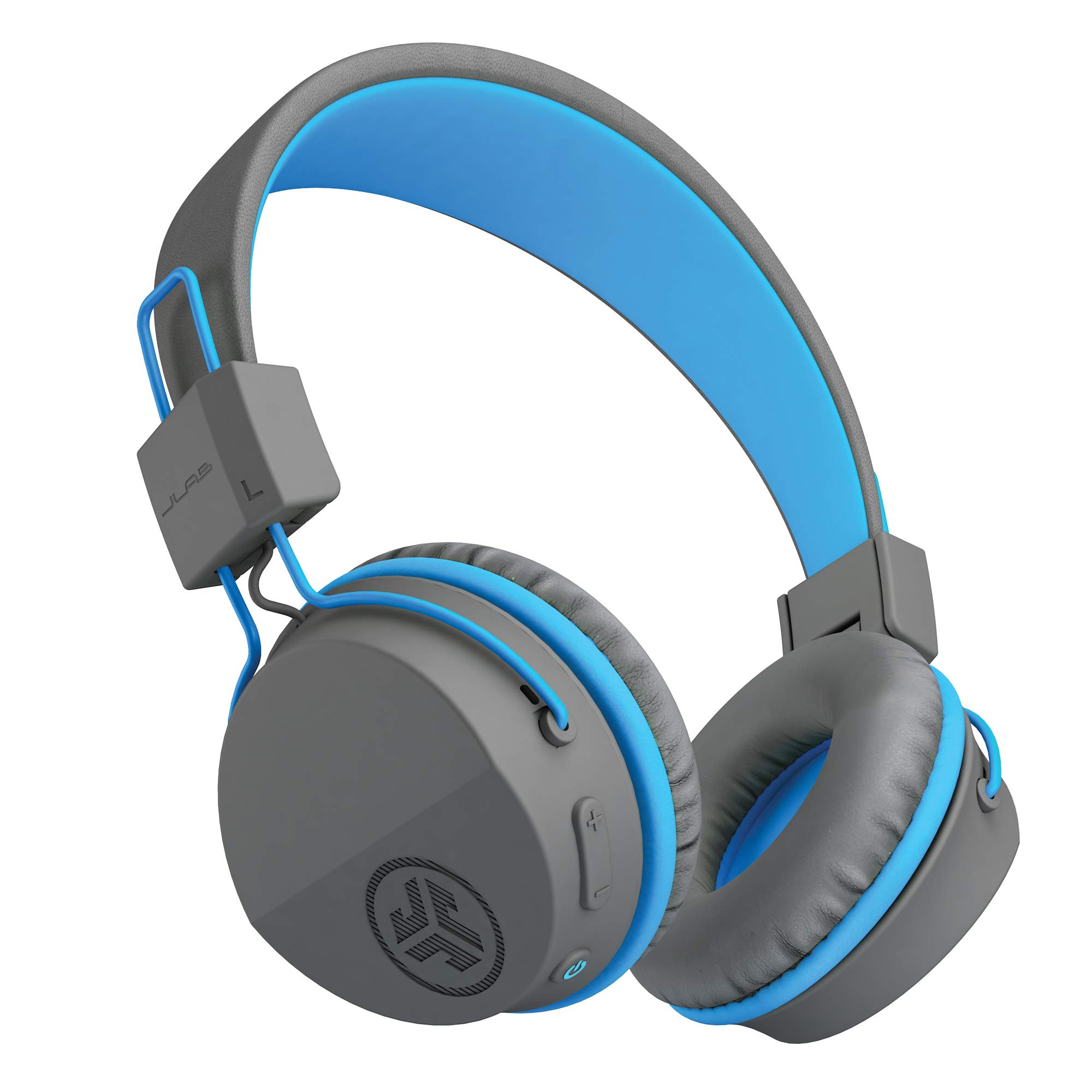
- Designed for ages six and up with a built-in volume limiter.
- Provides 13 hours of wireless battery life.
- Includes a microphone and on-ear controls for calls and virtual learning.
Best For: Families seeking wireless headphones with a volume limiter and microphone for virtual learning.
Long Battery Life for Over-Ear Wear
JLab JBuds Work Wireless Headset with Microphone, Over Ear Computer Headsets, Wired or Wireless Headphones with 60+ Playtime, Multipoint Bluetooth Headset for Laptop Teams, Office with Mic (16 Pack)
The JBuds Work combines an over-ear fit with wireless Bluetooth and a wired option through its included USB-C to 3.5mm cable. Its 60+ hours of playtime is useful for a busy workweek with fewer charging interruptions.
Bluetooth multipoint lets it connect to two devices at once, while the boom microphone has a red mute indicator and can flip down to answer or up to hang up. The headset includes voice and music EQ settings.
It is a practical choice for desk work, though its multipoint and call controls may matter more than gaming or travel features.
Best For: People who want an over-ear work headset with extended battery life and two-device switching.
| Pros | Cons |
|---|---|
|
|
Choose this headset if you prefer over-ear coverage and want to move between a laptop and phone without repeatedly pairing. Its long listed playtime and wired cable offer useful flexibility for a desk setup.
Check the fit and call-platform compatibility for your specific work apps, since those details are not provided. The 16-pack language in the title conflicts with the single-headset feature description, so confirm the quantity before ordering.
Compact Wireless Calls with Flip-to-Mute
JLab Go Work Pop, On-Ear Wireless Headset, Bluetooth Multipoint, Noise Canceling Boom Mic, Black
The Go Work Pop is a compact on-ear headset built around calls and everyday listening. Its rotating boom microphone flips up to mute and down to activate for calls, so the control is easy to reach during meetings.
The microphone uses noise-canceling MEMS technology, and EQ2 provides voice and music modes. Bluetooth multipoint connects two devices at once, such as a computer and mobile phone.
With 50+ hours of playtime and USB-C charging, it suits people who prefer on-ear wear and want fewer interruptions to recharge. It does not include a wired connection in the supplied details.
Best For: Hybrid workers who want a lightweight on-ear headset with a rotating boom microphone.
| Pros | Cons |
|---|---|
|
|
This is a good fit for people who move between calls and music on two Bluetooth devices and want a boom mic that can be muted by flipping it up. Its on-ear form is more compact than the over-ear JBuds Work, while the feature set centers on wireless use.
Before buying, confirm that its on-ear fit works for your typical meeting length and that wireless-only connectivity suits your computer setup.
Wired or Wireless Desk Flexibility
JLab Go Work Wireless Headsets with Microphone, 45+ Playtime PC Bluetooth Headset and Multipoint Connect to Laptop Computer and Mobile, Wired or Wireless Headphones (1 Pack)
The Go Work Wireless gives office users two ways to connect: Bluetooth multipoint or the included USB-C to 3.5mm cable. It can stay connected to two devices simultaneously, which helps when alternating between calls on a computer and mobile phone.
JLab lists 45+ hours of playtime, Cloud Foam earcups, and dual microphones for calls. The boom mic rotates out of the way for listening, and its red LED shows when mute is on.
This on-ear model suits users who value connection options and headset controls, though the over-ear JBuds Work may better match those seeking a more enclosing fit.
Best For: Office users who want both Bluetooth multipoint and an included wired connection.
| Pros | Cons |
|---|---|
|
|
Pick the Go Work if you want on-ear comfort and the option to switch between Bluetooth and a cable. It offers a shorter stated playtime than the over-ear JBuds Work, but its wired and wireless modes give it flexibility when charging or Bluetooth use is inconvenient.
Check how the included cable works with your computer and whether the on-ear fit is comfortable for your calls.
Gaming and Work Across Multiple Platforms
SteelSeries Arctis Nova 3X Wireless Multi-Platform Gaming Headset — Mobile App Control — 40 HR Battery — Neodymium Magnetic Drivers — 2.4GHz/Bluetooth — Xbox, PS5, PC, Switch, Mobile — Black
The Arctis Nova 3X is a gaming-focused wireless headset that also supports a range of work devices. It pairs over 2.4GHz or Bluetooth and includes a USB-C dongle for swapping among Xbox, PC, PlayStation, Switch, phones, and tablets.
Its mobile app offers more than 200 game presets, while the headset uses neodymium magnetic drivers. The listed battery life is up to 40 hours, with a 15-minute charge providing up to nine hours of playback.
At 260 g, it has a stretchy headband and adjustment points. Consider it when gaming flexibility matters alongside calls; its supplied details do not specify office microphone controls.
Best For: People who split their headset use between computer work, gaming, and mobile devices.
| Pros | Cons |
|---|---|
|
|
This model makes the most sense for someone who wants one headset for work devices and gaming platforms, rather than a call-first office design. The USB-C dongle and Bluetooth options provide device flexibility, while the app presets and fast charging are gaming-oriented advantages.
Compare its fit and microphone controls with the JLab work headsets if frequent video meetings are the priority; the provided features do not detail call-specific mic behavior.
Foldable Wireless Headphones for Calls
JLab, Studio, Wireless On-Ear Headphones, Bluetooth, Foldable, Built-in Mic, Black
The JLab Studio is a general-purpose wireless on-ear headphone rather than a dedicated boom-mic office headset. It offers Bluetooth 5, a built-in microphone, and more than 30 hours of playtime.
Three EQ presets—JLab Signature, Balanced, and Bass Boost—let listeners choose a sound profile for music and podcasts. Its foldable design and Cloud Foam earcups suit commuting and portable use.
This is a reasonable option when work calls are occasional and a prominent boom mic is not essential. For meeting-heavy days, consider a headset with a rotating boom microphone and a dedicated mute control instead.
Best For: People seeking affordable foldable Bluetooth headphones with a built-in mic for occasional work calls.
| Pros | Cons |
|---|---|
|
|
Choose the Studio if you want one foldable pair for commuting, listening, and occasional calls, and can do without a boom microphone. It has EQ modes and a longer stated playtime than a typical short-session option, but the supplied details do not give a dedicated office call-control feature set.
If meetings dominate your day, compare it with the Go Work Pop or Go Work models and check your preferred call app's compatibility.
Noise Reduction and Adjustable Listening Modes
JLab, Go Lux ANC, On Ear Headphones, Active Noise Cancelling, Bluetooth MultIPoint, Cloud White
The Go Lux ANC is an on-ear headphone with hybrid active noise cancellation, Be Aware mode, and Bluetooth multipoint. Its noise reduction is rated up to 30 dB, while Be Aware mode lets surrounding sound in when needed.
The JLab app can adjust ANC and Be Aware levels, customize EQ, remap touch controls, and set safe-hearing limits. It offers up to 50 hours of playtime and connects to two devices simultaneously.
The supplied features emphasize listening and focus rather than a dedicated boom microphone, so check whether its built-in call setup fits your meeting needs before choosing it as an office headset.
Best For: Workers who want adjustable noise reduction and multipoint Bluetooth for focus between calls.
| Pros | Cons |
|---|---|
|
|
Consider the Go Lux ANC if your office headset doubles as a focus and commuting headphone, and adjustable noise reduction is more useful than a boom mic. It provides multipoint and a Be Aware mode, while call-specific controls are not detailed.
Before buying for regular meetings, verify that the microphone arrangement and mute controls meet your needs; this model's supplied details center on noise modes, app controls, and listening time.
Wireless Headset for Young Students
JLab JBuddies Studio Wireless on-Ear Kids Headphones with mic, Graphite/Blue
The JBuddies Studio Wireless is designed for children ages six and up, with a volume limiter, Bluetooth connectivity, and an integrated microphone. Its listed 13-hour wireless battery life suits schoolwork, travel, or home listening between charges.
Cloud Foam cushions, a padded headband, and adjustable sizing address fit for growing users, while the folding design helps with packing. This is not an adult office headset, but it may suit a household search that includes supervised remote learning or calls for a young student.
For a standard work setup, choose an adult model with call-specific controls instead.
Best For: Families seeking wireless headphones with a volume limiter and microphone for virtual learning.
| Pros | Cons |
|---|---|
|
|
This is a niche pick for a young student who needs wireless listening and a microphone for virtual learning. Its kid-oriented volume limiter and adjustable fit distinguish it from the adult JLab office models.
It does not provide the listed multipoint, boom mic, or wired fallback features of those work headsets. Confirm the child's device pairing and fit before buying; adults shopping for daily work calls should look at the call-focused options above.
How to Choose Office Headsets Under 100
How We Picked Office Headsets Under $100
This roundup prioritizes headsets with practical call features: a boom or integrated microphone, mute controls where specified, and connectivity suited to switching among work devices. The JLab Go Work models provide multipoint Bluetooth and call-focused controls, while the Arctis Nova 3X adds gaming-platform flexibility.
We also included a foldable general-use headphone and a noise-canceling listening model for buyers whose work headset doubles as a commuter or focus headphone.
The children's JBuddies wireless model is a limited-use choice for remote learning rather than an adult office recommendation. Several wired JBuddies color offers were excluded as duplicate children's models.
Other general listening headphones were left out when a stronger call-focused option better matched this keyword.
Comparing Office Headsets Under $100
The call-first JLab models differ mainly in fit, connection choice, and battery figures. The over-ear JBuds Work lists 60+ hours, while the on-ear Go Work and Go Work Pop offer wired flexibility or flip-to-mute controls, depending on the model.
All three include Bluetooth multipoint, but confirm cable microphone behavior where that matters.
The SteelSeries Arctis Nova 3X is the platform-flexible option for people who game as well as work, with 2.4GHz and Bluetooth connections. The JLab Studio is more portable and offers EQ modes, but its built-in microphone is not paired with a documented boom or mute control.
The Go Lux ANC emphasizes adjustable noise reduction and focus features; its provided feature details do not specify a boom mic.
| Product | Standout features | Best for |
|---|---|---|
| JLab JBuds Work Wireless HeadsetCheck Price |
| People who want an over-ear work headset with extended battery life and two-device switching. |
| JLab Go Work Pop Wireless HeadsetCheck Price |
| Hybrid workers who want a lightweight on-ear headset with a rotating boom microphone. |
| JLab Go Work Wireless HeadsetCheck Price |
| Office users who want both Bluetooth multipoint and an included wired connection. |
| SteelSeries Arctis Nova 3X WirelessCheck Price |
| People who split their headset use between computer work, gaming, and mobile devices. |
| JLab Studio Wireless On-Ear HeadphonesCheck Price |
| People seeking affordable foldable Bluetooth headphones with a built-in mic for occasional work calls. |
| JLab Go Lux ANC On-Ear HeadphonesCheck Price |
| Workers who want adjustable noise reduction and multipoint Bluetooth for focus between calls. |
| JLab JBuddies Studio Wireless Kids HeadphonesCheck Price |
| Families seeking wireless headphones with a volume limiter and microphone for virtual learning. |
Choosing a Headset for Office Calls
Look for a microphone you can position and mute quickly if meetings are frequent. The Go Work Pop's boom flips up to mute, while the Go Work models include a red mute indicator.
If you use both a computer and phone throughout the day, Bluetooth multipoint can reduce the need to disconnect and reconnect manually.
A built-in microphone on a general headphone can be enough for occasional calls, but the records do not establish the same call control as a boom headset. Check microphone placement, mute behavior, and compatibility with your conferencing software before relying on one for a meeting-heavy schedule.
Wireless, Wired, and Battery-Life Tradeoffs
Wireless headsets reduce desk cable clutter, while a supplied cable gives a fallback when Bluetooth is unavailable or charging is inconvenient. The Go Work includes a USB-C to 3.5mm cable, and the JBuds Work title also specifies wired or wireless use.
Confirm whether the cable carries microphone audio if you need to use the headset for wired calls.
Battery figures vary by model and should be read as the supplied playtime descriptions. The JBuds Work lists 60+ hours, the Go Work Pop 50+ hours, and the Go Work 45+ hours.
The Arctis Nova 3X gives a separate fast-charge figure, while the children's wireless JBuddies model lists 13 hours. Choose the connection and controls that fit your routine, rather than treating playtime alone as a measure of call quality.
Who Should Buy Which Office Headset?
Choose the JBuds Work for over-ear fit, long listed playtime, and multipoint switching. Pick the Go Work if a wired fallback matters, or the Go Work Pop if its on-ear design and flip-to-mute boom suit your desk routine.
For gaming alongside work, consider the Arctis Nova 3X and verify its microphone controls for your meeting needs. The Studio fits commuting and occasional calls, while Go Lux ANC may appeal when noise adjustment matters more than a documented boom mic.
The JBuddies wireless model is for children using remote learning, not a standard adult office setup.