The Kodak Mini 2 Retro review is most relevant to smartphone owners who want to turn favorite pictures into pocket-size prints for albums, planners, or keepsakes.
Its 4PASS process and included starter supplies make it a self-contained option for casual photo printing.
Kodak Mini 2 Retro Review Summary
The quick verdict
12,000+ ratings
Read Amazon ReviewsKodak Mini 2 Retro
A compact smartphone printer for travelers, scrapbookers, and anyone who wants small laminated photos with editing options in a companion app.
- 4PASS dye-sublimation printing applies three color layers and a clear protective lamination layer.
- Prints are about credit-card size, suited to wallets, planners, albums, and everyday keepsakes.
- Bluetooth connects the printer to compatible iOS and Android devices through the KODAK Photo Printer app.
- The app supports editing, cropping, and photo customization before printing.

Pros
- Compact enough to carry for trips, parties, and spontaneous photo projects.
- Lamination gives each print a clear protective finish.
Consider before buying
- The credit-card-size output is best suited to small keepsakes rather than large wall displays.
- At approximately 55 seconds per print, allow time for each photo to finish before moving on to the next.
Read the full review summary
The Mini 2 Retro is built around a simple phone-to-print routine: connect over Bluetooth, use the KODAK Photo Printer app to edit or crop, then print a small color photo.
The 4PASS method layers color and adds clear lamination, which may suit buyers who want a more finished keepsake for a wallet, planner, or scrapbook.
It is a practical fit for people who value portability and want paper and cartridges in the box to get started.
The small format naturally favors personal snapshots and creative projects over prints intended to fill a large frame, so consider where the photos will be used before choosing it.
The buying factors
Kodak Mini 2 Retro Scorecard
Editorial scores reflect listed features and buyer fit; they are not laboratory measurements or customer ratings.
Print format
Credit-card-size output works well for wallets and planners, though buyers seeking larger display prints may find the format restrictive.
Print finish
The three color layers and clear lamination are useful features for keepsakes that will be handled or stored.
Phone workflow
Bluetooth pairing with compatible iOS and Android devices plus in-app editing supports a straightforward phone-centered workflow.
Portability
A hand- or pocket-sized body is convenient for trips and events where you want prints away from home.
Included starter supplies
The bundle includes paper, cartridges, a cable, and a guide, so buyers have the listed essentials for getting started.
Creative app tools
Cropping and customization before printing add useful control for journaling and scrapbook layouts.
Key Features and Specifications of Kodak Mini 2 Retro
- 4PASS dye-sublimation printing applies three color layers and a clear protective lamination layer.
- Prints are about credit-card size, suited to wallets, planners, albums, and everyday keepsakes.
- Bluetooth connects the printer to compatible iOS and Android devices through the KODAK Photo Printer app.
- The app supports editing, cropping, and photo customization before printing.
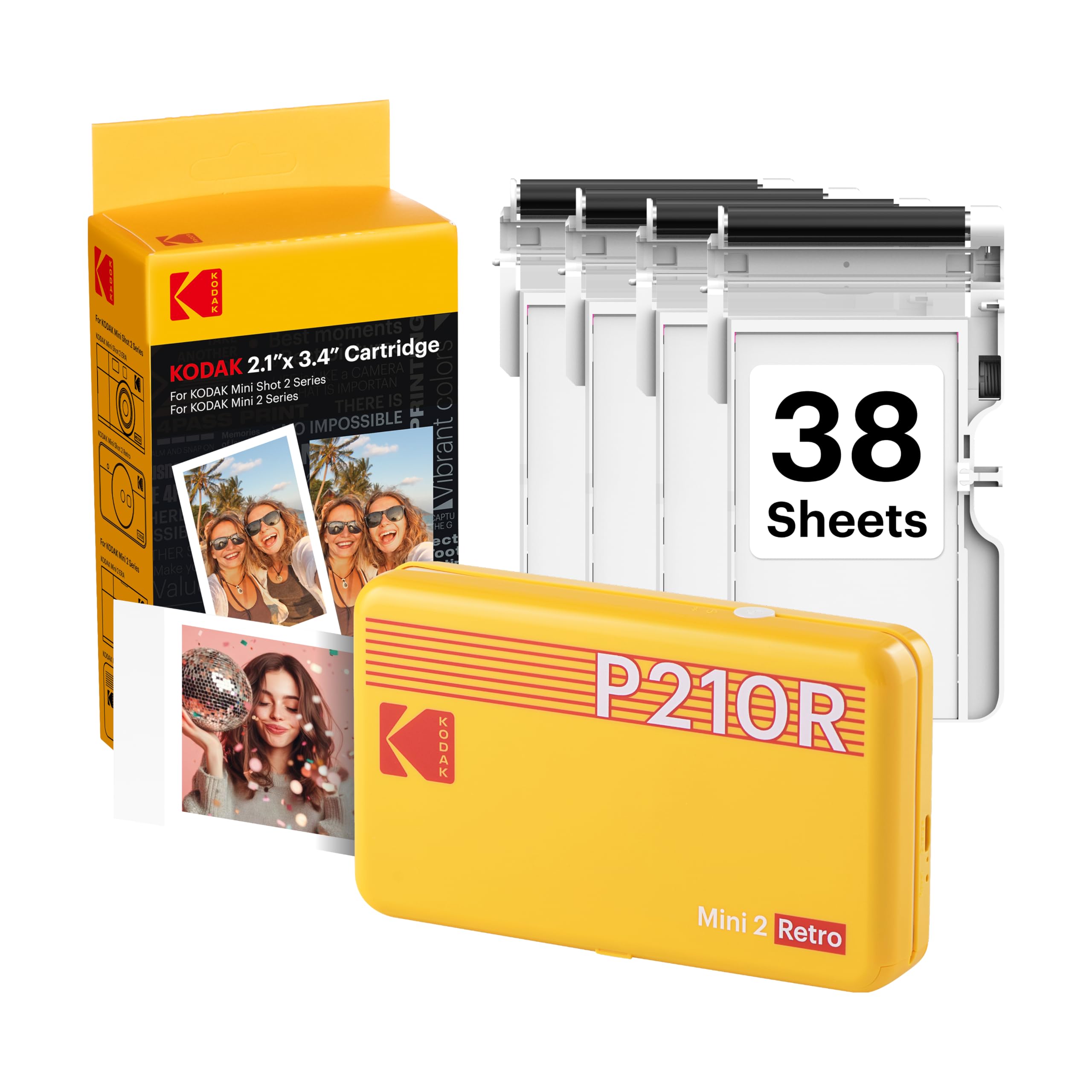
- The bundle includes the printer, four cartridges, 38 sheets of photo paper, a USB Type-C cable, and a user guide.
- Its compact design fits in a hand, bag, or pocket for portable printing.
Pros and Cons of Kodak Mini 2 Retro
Pros
- Compact enough to carry for trips, parties, and spontaneous photo projects.
- Lamination gives each print a clear protective finish.
- Phone app includes editing and cropping before printing.
- Starter bundle supplies include photo paper and cartridges.
Consider before buying
- The credit-card-size output is best suited to small keepsakes rather than large wall displays.
- At approximately 55 seconds per print, allow time for each photo to finish before moving on to the next.
- The bundle includes 4 cartridges and 38 sheets of photo paper, providing supplies to get started.
Who Should Buy Kodak Mini 2 Retro?
Good fit
Choose the Mini 2 Retro if you want a portable printer for personal smartphone photos, journaling, travel mementos, or scrapbook pages.
Its small output and compact body are easy to match to albums and planners rather than large display needs.
It also suits first-time users who prefer to edit on a phone and start with paper and cartridges already bundled. The lamination layer is a useful feature for prints that will be handled as keepsakes.
Who should skip it
Skip it if your main goal is large framed prints: each photo is about credit-card size, which is better suited to wallets and albums.
Allow approximately 55 seconds for each print when timing a workflow that needs photos quickly.
Kodak Mini 2 Retro Review Analysis
A keepsake-sized print format
The credit-card-size output makes sense for wallets, planners, albums, and photo booth keepsakes. This is a portable-printing format for personal use; buyers planning wall displays should first decide whether a small print will meet that purpose.
A layered, laminated process
The 4PASS process builds each image in three color layers and adds a clear laminate.
That finish is relevant for photos that will be handled or tucked into a journal, though the small format remains the core design choice.
Phone-first editing and connection
Bluetooth and the KODAK Photo Printer app keep printing centered on a compatible iOS or Android phone. Cropping and customization before printing can help prepare images for the compact paper format without moving the task to a computer.
Portable printing with a measured pace
A body that fits in a hand, bag, or pocket is useful for travel, parties, and school projects. Each print takes approximately 55 seconds, so allow for that timing when planning a batch.
Alternatives to Kodak Mini 2 Retro
Sticker-print alternative
25,000+ ratings
Read Amazon ReviewsHP Sprocket Select
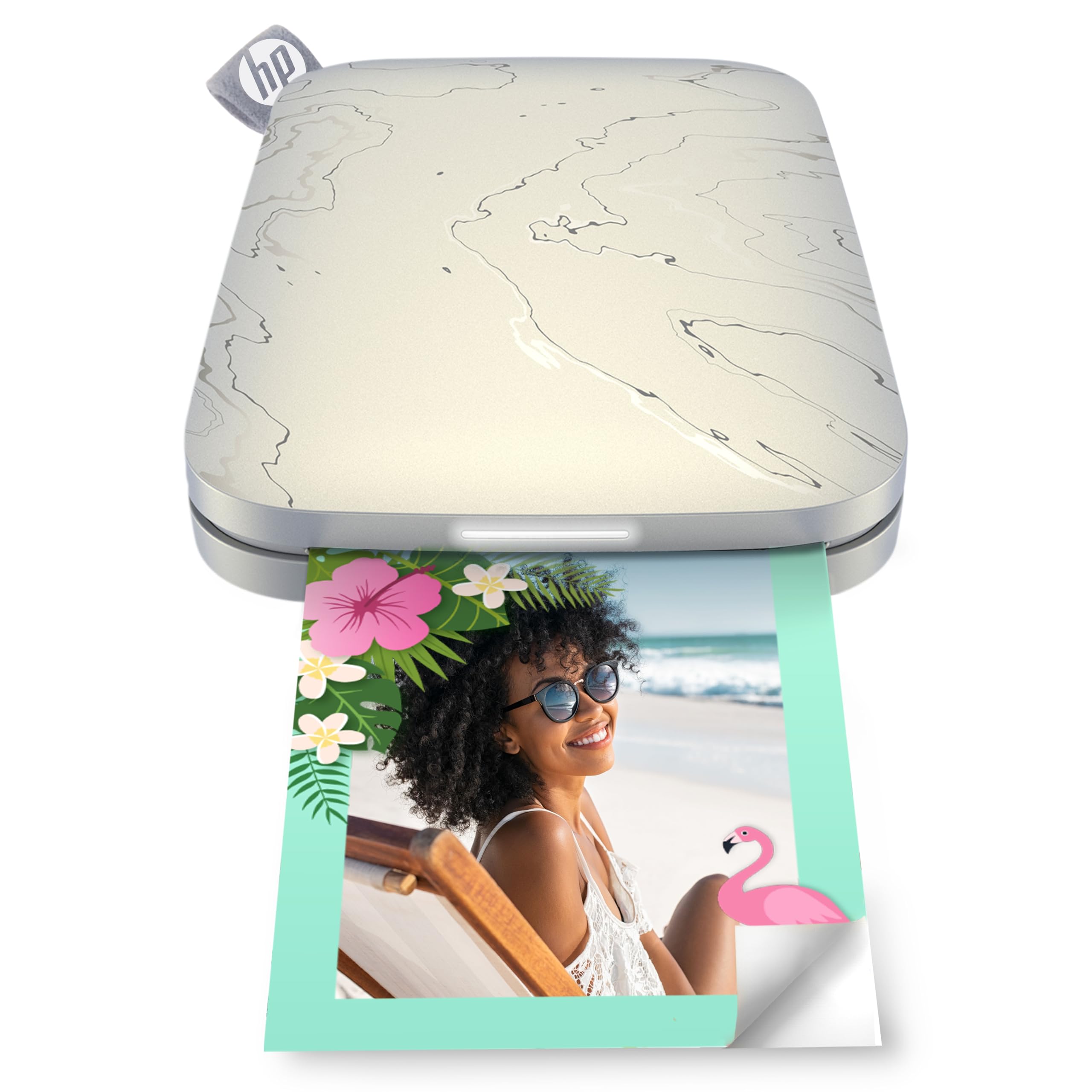
Choose the HP Sprocket Select if you prefer a larger sticky-backed format and ZINK paper without toner or ribbon replacements; choose the Mini 2 Retro if credit-card-size 4PASS prints with lamination better suit your keepsakes.
- The HP Sprocket Select prints larger 2.3” x 3.4” photos on ZINK sticky-backed paper, with colors embedded in the paper and no toner or ribbon replacements.
- The Mini 2 Retro makes credit-card-size prints with three color layers and a clear laminated finish.
Portable Photo Printers alternative
20,000+ ratings
Read Amazon ReviewsKODAK Step Instant Smartphone Photo Printer
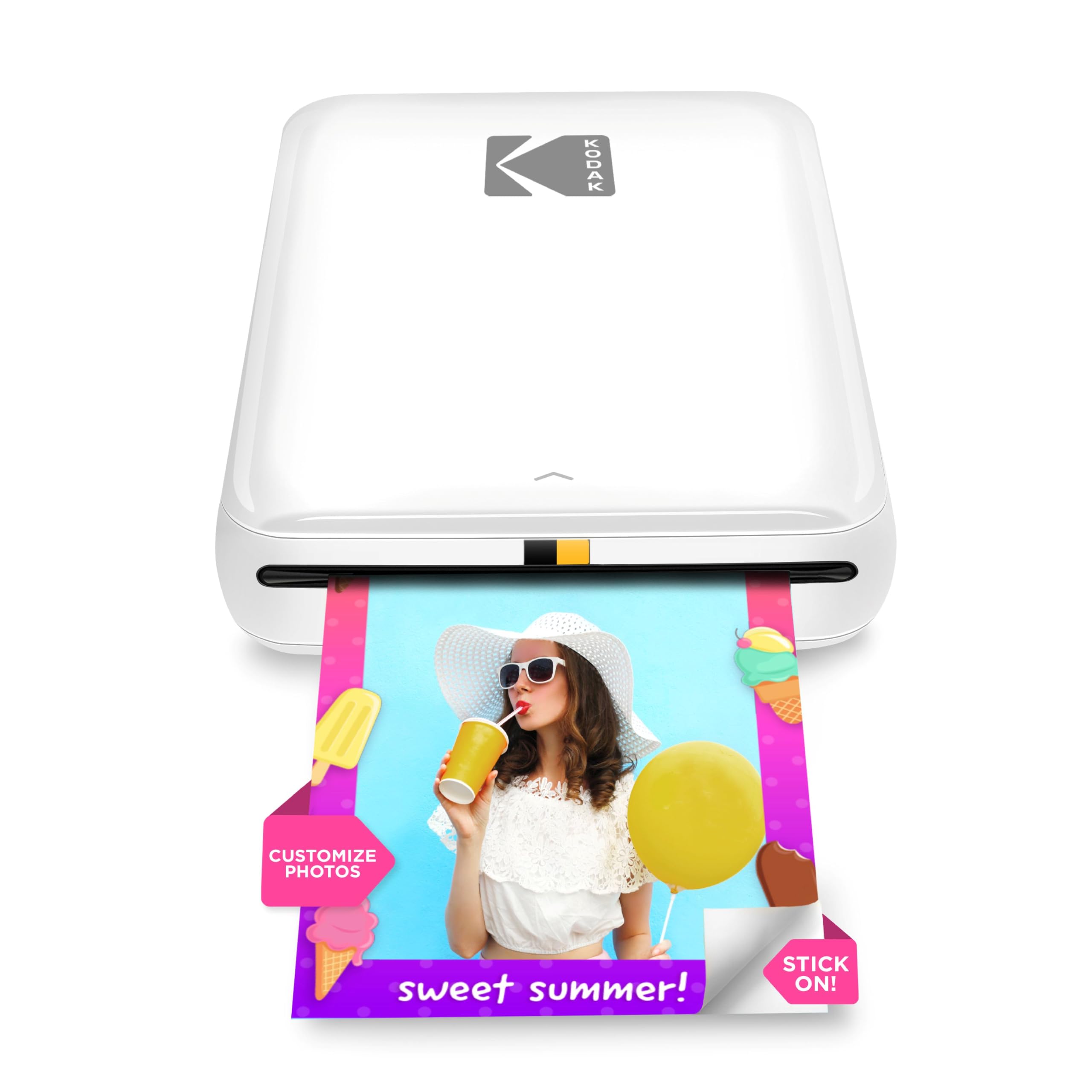
Choose the KODAK Step if you want peel-and-stick 2” x 3” ZINK photos without ink, toner, or ribbons; choose the Mini 2 Retro if you prefer 4PASS printing with cartridges, paper, and a protective laminated finish.
- The KODAK Step makes peel-and-stick 2” x 3” photos with ZINK paper and avoids ink, toner, and ribbons.
- The Mini 2 Retro uses 4PASS dye sublimation and a laminated finish, and its bundle includes cartridges and photo paper.
Is Kodak Mini 2 Retro Worth It?
The Kodak Mini 2 Retro is worth considering if you want a compact way to make small smartphone prints for planners, albums, travel memories, or creative projects.
Bluetooth app editing, 4PASS color layering, and a laminated finish make its workflow and output format clear strengths for personal keepsakes.
Choose it for portable, credit-card-size keepsakes; each print takes approximately 55 seconds, so allow for that timing when planning a batch.
Your review at a glance
12,000+ ratings
Read Amazon ReviewsKodak Mini 2 Retro
A compact smartphone printer for travelers, scrapbookers, and anyone who wants small laminated photos with editing options in a companion app.
- 4PASS dye-sublimation printing applies three color layers and a clear protective lamination layer.
- Prints are about credit-card size, suited to wallets, planners, albums, and everyday keepsakes.
- Bluetooth connects the printer to compatible iOS and Android devices through the KODAK Photo Printer app.
- The app supports editing, cropping, and photo customization before printing.