The Phomemo P12 Label Maker Machine review is for people who want one compact printer for household organization, classroom labels, and creative projects.
Its mix of thermal and thermal-transfer media gives it broader uses than a basic paper-label maker, with some extra choices to consider before buying.
Phomemo P12 Review Summary
The quick verdict
2,000+ ratings
Read Amazon ReviewsPhomemo P12 Label Maker
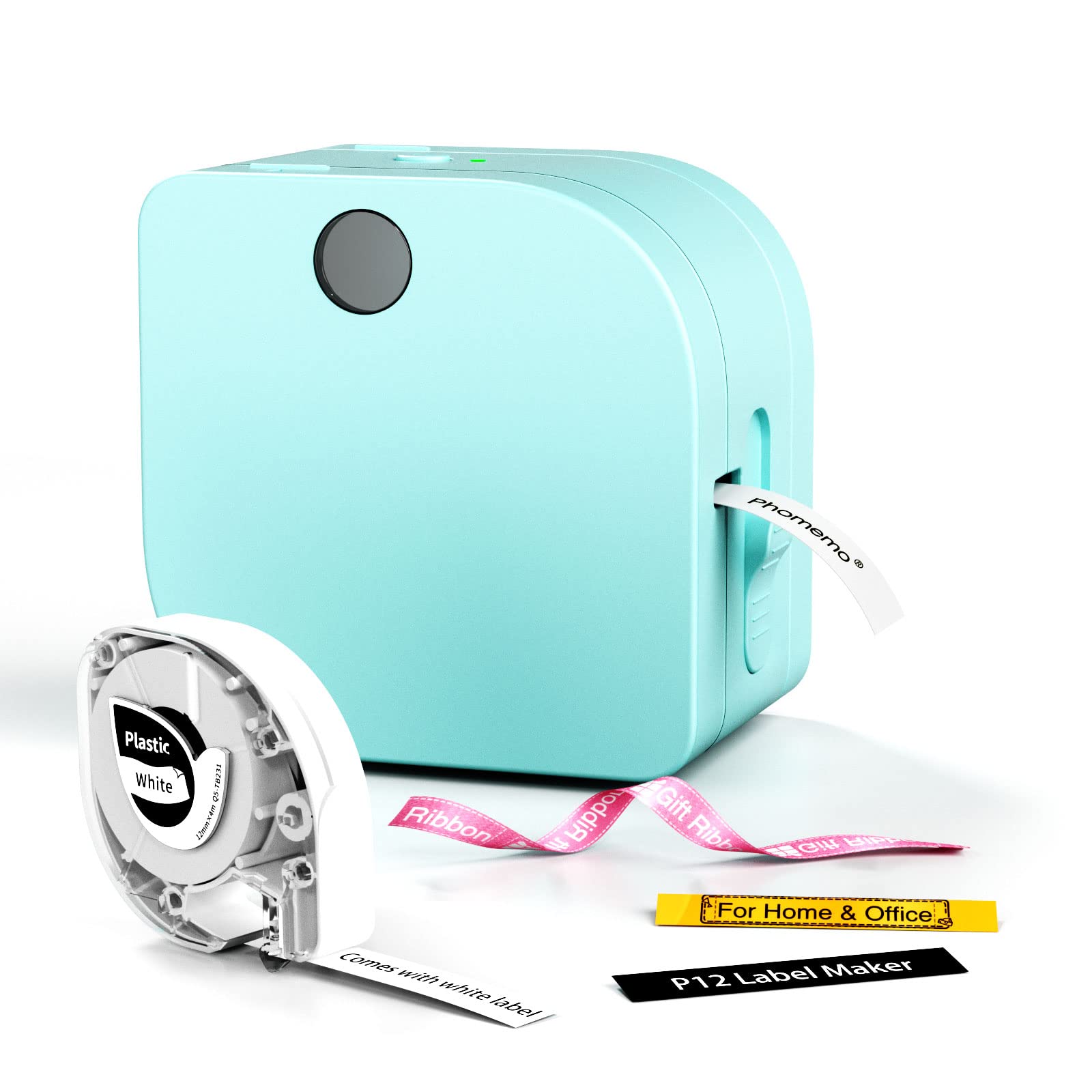
A compact phone-controlled label maker for home organizers, teachers, and crafters who want both everyday labels and iron-on or ribbon options.
- Supports thermal labels and thermal-transfer labels, with options described for everyday labels, iron-on labels, and ribbons.
- Print resolution is 203 DPI, and a built-in cutter is included.
- Connects to iOS and Android phones through Bluetooth and a companion app.
- The app includes more than 15 languages, 90 fonts, and 1,000 borders and symbols, plus text, barcode, Excel import, scanning, OCR, and voice-recognition tools.

Pros
- Supports both thermal and thermal-transfer label types, broadening the kinds of projects it can serve.
- A large collection of fonts, borders, and symbols offers plenty of ways to personalize labels.
Consider before buying
- AAA batteries are not included, so portable use with batteries requires a separate purchase.
- The phone-and-app workflow may be less appealing to buyers who prefer designing labels directly on a printer.
Read the full review summary
The P12 pairs Bluetooth phone editing with support for thermal and thermal-transfer labels. That combination can cover ordinary kitchen and storage labeling as well as projects such as clothing labels, gift wrapping, and decorations.
Its companion app offers extensive design tools, while printing is rated at 203 DPI and the built-in cutter is intended to simplify making labels.
This model suits people who like designing labels on a phone and expect to switch between different label materials.
It can run from an included USB-C cable or six AAA batteries, so buyers can choose a plugged-in setup or a battery-powered one.
The main consideration is media choice: check that the label type and size you need are available for the P12 before settling on it.
The buying factors
Phomemo P12 Scorecard
Editorial scores reflect listed features and buyer fit; they are not laboratory measurements or customer ratings.
Media versatility
It supports both thermal labels and thermal-transfer labels, including options such as iron-on labels and ribbons.
App design range
The app offers more than 15 languages, 90 fonts, and 1,000 borders and symbols.
Everyday organization fit
The described uses span kitchens, storage, school supplies, offices, and personal items.
Creative project fit
Ribbon and iron-on label options make it relevant to crafts and clothing projects as well as routine labeling.
Power flexibility
USB-C operation and optional AAA batteries provide two ways to power the printer.
Setup simplicity
Phone editing and Bluetooth offer a familiar workflow, though the app and media choices add setup steps.
Key Features and Specifications of Phomemo P12
- Supports thermal labels and thermal-transfer labels, with options described for everyday labels, iron-on labels, and ribbons.
- Print resolution is 203 DPI, and a built-in cutter is included.
- Connects to iOS and Android phones through Bluetooth and a companion app.
- The app includes more than 15 languages, 90 fonts, and 1,000 borders and symbols, plus text, barcode, Excel import, scanning, OCR, and voice-recognition tools.
- Can be powered by the included USB-C cable or six AAA batteries, which are not included.
- Described label properties include waterproof, oil-proof, wear-resistant materials that can be removed without residue; properties may depend on the selected media.
Pros and Cons of Phomemo P12
Pros
- Supports both thermal and thermal-transfer label types, broadening the kinds of projects it can serve.
- A large collection of fonts, borders, and symbols offers plenty of ways to personalize labels.
- The app includes tools such as barcode creation, spreadsheet import, OCR, and voice recognition.
- USB-C and AAA battery options allow different power arrangements.
Consider before buying
- AAA batteries are not included, so portable use with batteries requires a separate purchase.
- The phone-and-app workflow may be less appealing to buyers who prefer designing labels directly on a printer.
- Choosing among label materials takes some planning; verify the particular media you need is compatible before buying.
Who Should Buy Phomemo P12?
Good fit
Consider the Phomemo P12 if you want a small label maker for a mix of home, school, and craft tasks.
Its support for thermal and thermal-transfer media is useful when one week’s job is marking pantry items and another is adding labels to clothing or handmade gifts.
The different label types can serve different purposes, so think about your most common projects before choosing refills.
It also makes sense for buyers who enjoy customizing labels from a phone.
The app’s extensive fonts, borders, and symbols give room to create distinctive designs, while features such as barcode tools and Excel import can help with more structured batches.
USB-C operation is suited to a regular workspace; AAA batteries offer another option when working away from an outlet.
Before ordering, identify the media you expect to use and confirm its dimensions and availability for this model. That simple check helps ensure the P12’s format suits your intended labels, especially for specialized projects like iron-on designs.
Who should skip it
Look elsewhere if your routine depends on printing from a computer or using a specific label format that you have not confirmed is supported.
The described workflow centers on a Bluetooth connection, a phone app, and compatible label media.
A simpler label maker may be a better fit if you only need occasional basic labels and will not use the P12’s design tools or varied media options.
What the Phomemo P12 Label Maker Machine review reveals about everyday use
Two media types change the use case
The P12’s most distinctive practical feature is that it supports both thermal and thermal-transfer labels. That gives buyers a way to consider it for ordinary organization alongside more specialized jobs, such as iron-on clothing labels or decorative ribbon.
Because the media types serve different applications, the best fit depends on the projects you actually plan to make.
Phone editing favors custom designs
Bluetooth connection to iOS and Android phones puts label creation in the companion app. The range of fonts, borders, symbols, and languages should help users create labels suited to different rooms, school supplies, or crafts.
Tools for barcodes, spreadsheet import, scanning, OCR, and voice input may be useful when labels involve more than a short handwritten-style name.
Power choices suit different routines
USB-C power is a practical choice for a fixed labeling spot, while the option to use six AAA batteries gives buyers an alternative for portable use. The batteries are not included, so factor that into a battery-powered setup.
The built-in cutter also means the printer has an integrated way to separate finished labels.
Choose media around the job
The described label materials include waterproof, oil-proof, and wear-resistant options, with some removable without residue. Those qualities can matter for labels in kitchens, bathrooms, or on clothing, but the properties are tied to the chosen media.
Check the specifications of the exact refill for its intended surface and use rather than assuming every label type has identical characteristics.
Alternatives to Phomemo P12
Desktop Label Printers alternative

28,000+ ratings
Read Amazon ReviewsPhomemo D30 Label Maker
Choose the P12 if thermal-transfer media and its two power options suit your projects. Consider the D30 if rechargeable operation and continuous or fixed-length thermal tapes better match your everyday labeling routine.
- The D30 is a rechargeable Bluetooth thermal label maker that supports continuous and fixed-length label tapes.
- Its description lists more than 1,000 symbols and 110 frames and describes it as monochrome, with color effects coming from patterned tape.
- The P12 supports thermal and thermal-transfer media, including options such as iron-on labels and ribbons, and runs from USB-C or AAA batteries.
Desktop Label Printers alternative

14,000+ ratings
Read Amazon ReviewsNIIMBOT D110 Label Maker
The P12 is the more relevant choice if you want to explore both thermal and thermal-transfer labels. The D110 may suit a buyer focused on rechargeable, phone-based everyday organization and batch printing with compatible label refills.
- The D110 is a rechargeable Bluetooth label maker with a 203 DPI direct-thermal printer, batch printing, and an app that can recognize supported label types.
- Its description lists waterproof and oil-proof refill options and says it does not work with computers.
- The P12 includes thermal-transfer media options such as iron-on labels and ribbons, with a broad set of app tools for creating designs.
Is Phomemo P12 Worth It?
The Phomemo P12 Label Maker is worth considering if you want a phone-controlled printer that can handle everyday organizing and more specialized projects through its thermal and thermal-transfer media options.
Its app tools, built-in cutter, and choice of USB-C or AAA power make it a flexible home or classroom option.
Its strongest case depends on using those choices: confirm that the label media you need is available and compatible, and account for buying AAA batteries separately if you plan to use battery power.
If those details suit your routine, the P12 offers a useful blend of customization and varied labeling applications.
Your review at a glance
2,000+ ratings
Read Amazon ReviewsPhomemo P12 Label Maker
A compact phone-controlled label maker for home organizers, teachers, and crafters who want both everyday labels and iron-on or ribbon options.
- Supports thermal labels and thermal-transfer labels, with options described for everyday labels, iron-on labels, and ribbons.
- Print resolution is 203 DPI, and a built-in cutter is included.
- Connects to iOS and Android phones through Bluetooth and a companion app.
- The app includes more than 15 languages, 90 fonts, and 1,000 borders and symbols, plus text, barcode, Excel import, scanning, OCR, and voice-recognition tools.